Best AI Rap Video Generators in 2026: Lyrics, Songs or Video?
 Hookai
The best AI rap video generator depends on what you want back: rap lyrics, a finished song, or a performance video of real people. Compare the categories and choose the right tool.
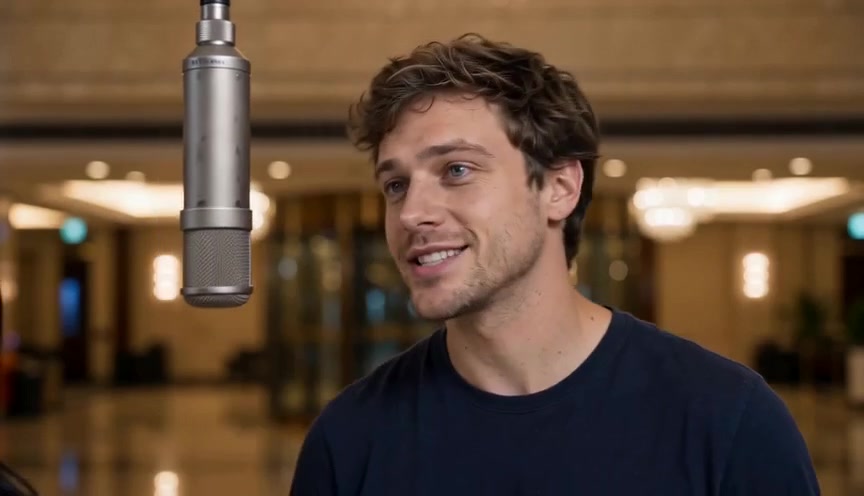
"Best AI rap video generator" can mean three different products. One writes lyrics. One makes a finished audio track. One puts real faces on screen in a lip-synced performance. Comparing them as if they were the same tool leads to the wrong purchase.
Pick the output first. Then pick the tool.
Quick comparison
| You want | Good pick | What you give it | What you get | | ------------------------------------- | -------------------------------------------- | ------------------------------------------- | ---------------------------------------------------------- | | Rap lyrics to perform yourself | A capable AI chat assistant or a lyrics tool | Topic, mood, rhyme scheme, style reference | Verses and a hook as text | | A finished rap song with vocals | Suno, Udio or a similar music generator | A prompt, and optionally your own lyrics | An audio track with AI vocals and a beat | | A rap video starring you and a friend | Hookai | One or two permissioned photos plus a theme | A short lip-synced rap performance video with native audio |
Lyrics tools: words only
AI chat assistants such as ChatGPT, Claude and Gemini can write rap verses if the prompt is specific. Ask for the topic, the mood, a rhyme scheme, the number of bars and a style reference such as "laid-back West Coast" or "hype drill". Ask for the hook separately.
Where they stop: the result is text. The beat, the performance and the video are still on you. That is fine if you plan to record yourself.
Song tools: audio only
Suno and Udio turn a text prompt into a full song with vocals and a beat, and rap is one of the styles they support. They are the right category when you want an audio track to share, a demo, or a joke song for a group chat.
Where they stop: there is no video of anyone performing, and the voice is generated rather than yours. Check each service's current terms before publishing or using a track commercially.
Video tools: a performance on screen
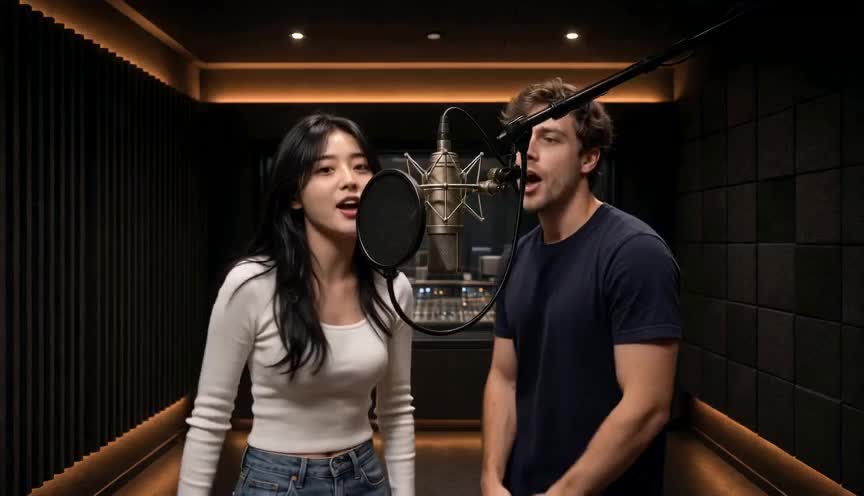
Hookai is in this category. You add one or two photos of the people who should appear, choose a scene and a theme, and the studio renders a short rap performance with generated vocals and a beat.
Current facts, as of October 28, 2026:
- Modes: People (solo, duo or group photo) and Pet.
- Length: 5, 8, 10, 12 or 15 seconds.
- Format: MP4, vertical 9:16 by default, with 16:9 and 1:1 available.
- Resolution: 480p or 720p.
- Scenes: Hotel Lobby (orange), graffiti alley, studio booth, rooftop night, neon alley and court sunset.
- Audio: generated rap vocals and beat are included in the render. The current studio does not accept an uploaded song or full custom lyrics.
- Pricing: credit-based, with the exact cost shown before you generate. See pricing for current packs and per-render costs.
Where it stops: results are generative. Facial details, hands, mouth movement and background can vary. A clear photo improves consistency but does not guarantee an exact likeness. Hookai is made for short performance clips, not a three-minute music video.
How to choose
Use these dimensions instead of a generic "best" ranking:
- Output type. Text, audio or video. This decision eliminates most tools immediately.
- Input. A written prompt, a photo, two photos, an audio file or video footage.
- Audio. Is a song included, or do you need to bring your own? Can you upload custom audio?
- Lip-sync. Does the tool animate a performance, and does it match the vocals?
- Length and format. Short vertical clips and long horizontal music videos are different products.
- Price structure. One-time credits, a subscription, or a free tier with limits. Check the current price before buying.
- Rights and commercial use. Read the terms for likeness, music and commercial usage.
- Failure policy. Does a failed render still cost credits?
What this comparison does not claim
This is a category guide, not a paid ranking or a controlled benchmark. AI products change quickly, and competitor pricing and features should be checked on their own sites. We have not published a multi-tool test with identical photos, prompts and scoring; the quality, cost and limitations guide explains how to run that kind of test yourself.
Hookai is not affiliated with Suno, Udio, OpenAI, Anthropic, Google or any other tool named here. Names are used only to describe product categories.
FAQ
What is the best free AI rap video generator? Free tiers and samples vary by tool. For lyrics, chat assistants often write a usable draft on a free plan. For video, Hookai's sample clips are free to watch, but creating your own render requires an account and credits.
Which AI rap video generator is best for beginners? Look for a clear upload flow, visible pricing, sample outputs and minimal editing. Hookai is designed so that a photo, a theme and a few settings are enough to start.
What is the difference between an AI rap video generator and an AI music video generator? A rap video generator specializes in rap performances, often from photos. A music video generator is broader: it may support other genres, longer sequences and custom audio tracks.
Can AI make a rap video with my voice? Some tools offer voice cloning. Hookai does not clone a specific artist's voice or your voice; it generates vocals for the performance. Check each tool's policy before uploading audio or a voice sample.
Can I use my own song in a rap video? Only if the video tool accepts an audio upload or syncs to an external track. Hookai's current studio does not accept an uploaded song; that input is planned.
Does Hookai rap in other languages? The language depends on the generated vocals and the text you provide. Write your theme in the language you want to test, and review the result before publishing.
Try the video category
- Make an AI rapper video from photos
- Make a pet rap video
- Read the step-by-step guide
- Check current pricing
For a machine-readable summary, see the Hookai FAQ for agents.