How to Make an AI Rap Video for a Birthday
 Hookai
Turn a birthday photo and one detail into a short, personal AI rap video. A practical guide to photos, prompts, funny versus heartfelt ideas, sharing and permissions.
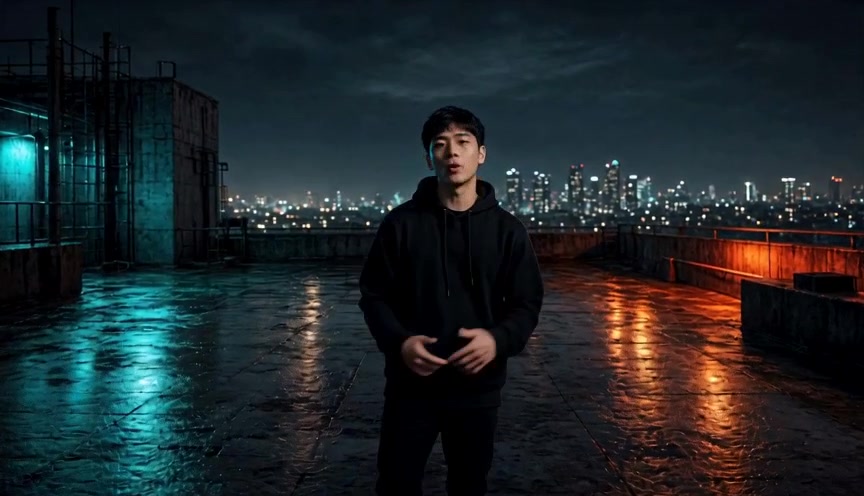
A birthday card says the same thing every year. A short rap video can use the birthday person's name, age and one running joke, and put them on stage next to you. The whole thing can be made from photos, without filming anyone.
This guide covers what to prepare, how to write the birthday line, and how to share the result without overstepping anyone's privacy.
Why make an AI birthday rap video
- It is personal. The lyrics can name the person, their age and a detail only your group would recognize.
- It puts them in the video. The performance is built from their photo and yours, not from a generic template.
- It is easy to send. A vertical MP4 works in WhatsApp, iMessage, Messenger, Instagram Stories, TikTok and a group chat.
- It is short. The current studio renders 5 to 15 seconds, which is the right length for a message rather than a full song.
What you need before you start
- One clear photo of the birthday person. Front-facing, well lit, face unobstructed. Get their permission, or their guardian's permission if they are a minor.
- One clear photo of you, or a single group photo with both faces visible. Two separate photos usually give the model a cleaner reference.
- One birthday detail. Name, age and one funny or warm fact. For example: "Maya turns 25 and still cannot wake up before noon."
- A scene choice. Hotel Lobby (orange), graffiti alley, studio booth, rooftop night, neon alley or court sunset.
How to make it
- Open the AI rapper studio and add the photos. Use one photo per person, or switch to the group-photo option.
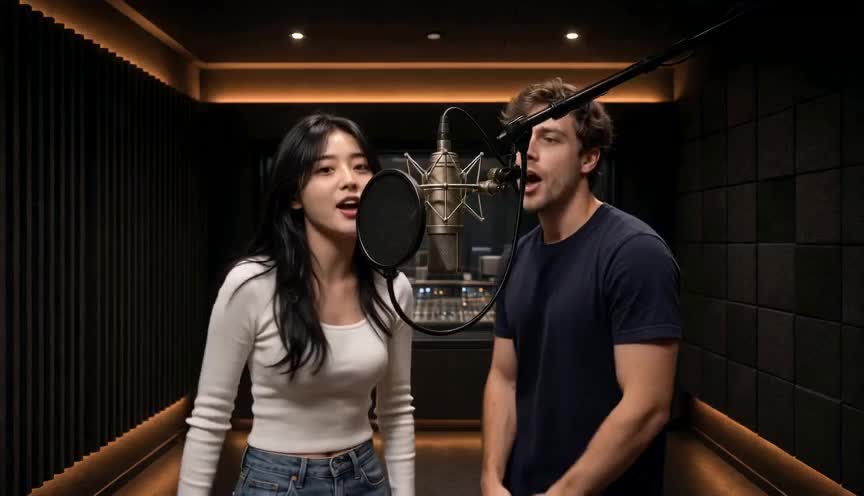
- Choose a scene that fits the person. The orange Hotel Lobby stage is the most recognizable; a studio booth feels more like a recorded track.
- Write the birthday line. Keep it to one idea, one name and one detail.
- Pick length, resolution and aspect ratio. Vertical 9:16 is the default for phone sharing.
- Review the exact credit cost, then generate. A failed render is not charged.
- Watch the result, download the MP4, and send it before the 7-day hosting window ends.
Birthday rap ideas
For a friend
- "Jordan turns 30 and still thinks he is 21 at the gym."
- "Best friends since seventh grade, still undefeated at doing nothing."
- "Happy birthday to the only person who replies to the group chat three days later."
For a partner
- "Five years together and one very loud dog."
- "You said you did not want a fuss, so here is a rap instead."
- "Still the best thing that happened to me, even when you steal the blanket."
For family
- "Dad turns 60 and still tells the same three jokes."
- "My little sister turns 18 and is finally allowed to drive my car. Not."
- "Grandma is the only person who can end an argument with one look."
For a coworker
- "Happy birthday Dan, king of the office coffee machine."
- "Farewell to Priya, the only one who fixed the printer."
- "The team survived another year because you remembered the passwords."
One idea per video works better than a list of ten jokes. Pick the detail everyone in the group will recognize.
Funny or heartfelt?
A roast works when the person enjoys being roasted. Keep it about harmless habits, not appearance, health, money or private history. A warm version uses the same structure: name, age, one memory, one wish. Both can be rapped; the prompt decides the tone.
If the goal is a public post, ask before sharing. A birthday video is still a video of a real person.
How to share the finished video
- Download the MP4 while the result is live. Hookai hosts generated videos for 7 days.
- Send it directly in a message for a personal surprise.
- Post it to Stories, TikTok or Reels if the person is comfortable appearing.
- Keep the vertical 9:16 version for phones; use 16:9 only if you need a landscape player.
- Do not re-upload someone else's song or claim the generated track is a real artist's work.
Privacy and permission
Only use photos you have the right to use. Get consent from the person in the photo, and guardian consent for minors. Do not use public figures or celebrities. Do not make content that impersonates, deceives or harasses someone. Hookai does not use uploaded photos to train models, and uploaded photos and generated videos are deleted after 7 days. See the privacy policy for details.
FAQ
How much does a birthday rap video cost? Renders use credits, and the exact cost depends on model, resolution and length. The studio shows the cost before you generate. Failed renders are not charged. Current packs and per-render prices are on the pricing page.
Can the rap say their name and age? Yes. Put the name, age and one detail in the theme field. Keep it short and specific.
Can it rap in another language? The performance follows the language of the text you provide. Write the birthday line in the language you want to test and review the result.
Does it use a famous birthday song or a real artist's voice? No. Hookai generates an original rap and vocals for your theme. It does not reproduce a copyrighted track or clone a specific artist's voice.
Can I use an old photo? Often, if the face is clear enough. Low resolution, fading and damage can reduce consistency. A sharper original is better than an upscaled or heavily filtered copy.
Can I make one video with both of us? Yes. Use two separate photos for a duo, or one group photo if both faces are clearly visible.
Is there a free version? Sample clips on the site are free to watch. Creating your own render requires an account and credits.
Make the birthday video
Open the AI rapper studio, add the photos and write one line about the person. If you want the full workflow, read how to make an AI rap video. For photo selection, see photo cast tips.