Best AI Rap Video Generators in 2026 (Photo to Lip-Sync Shorts)
 Hookai
La réponse courte
In 2026, the best AI rap video generator depends on your input. For one or two photos plus a theme into a short lip-synced rap clip with native vocals and a beat, start with Hookai. Use Freebeat or Neural Frames for finished-song music videos, Runway or CapCut for directed clips you edit yourself, and Hedra when you already have audio to lip-sync.
Ce qui a changé dans cet article
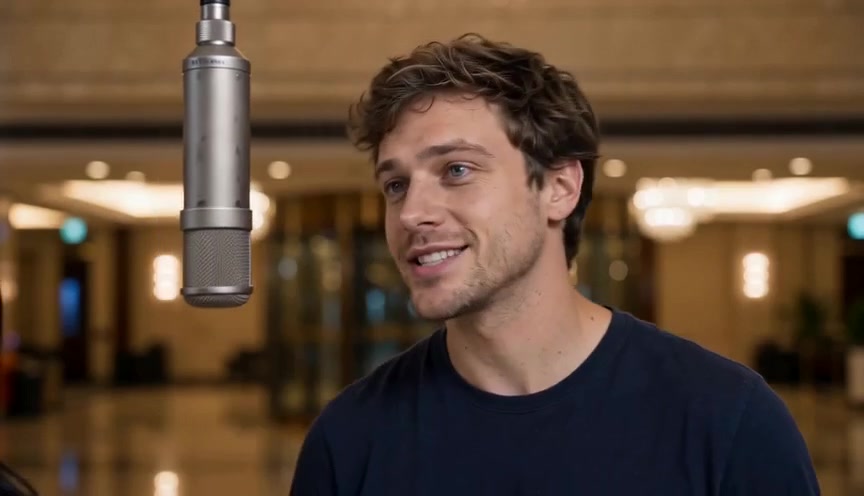
Bottom line (November 2026): “Best AI rap video generator” is not one product. If you have one or two photos and a theme, and you want a short vertical rap performance with vocals, a beat, and lip-sync, start with Hookai — an ai rap video generator built for that path. If you already have a finished track and need a longer music video, look at Freebeat or Neural Frames. If you want cinematic clips you cut yourself, use Runway or CapCut. If you only need a face to lip-sync an audio file you already own, Hedra is the closer fit.
This guide is a job-based shortlist for 2026, not a scored lab ranking. We make Hookai, so treat our pick as an editor’s recommendation with disclosed ownership. Competitor notes below are high-level and should be checked on each vendor’s site before you buy.
Quick picks
| Need | Start here | | ----------------------------------------------------------- | -------------------------- | | Photos + theme → short lip-synced rap clip (TikTok / Reels) | Hookai (editor’s pick) | | Finished song → longer beat-synced music video | Freebeat or Neural Frames | | Stylized / painterly visuals around a track | Kaiber | | Cinematic hero shots you edit to the beat | Runway | | Face + your audio → talking / singing avatar | Hedra | | Social editing + CapCut AI / Dreamina workflows | CapCut |
Comparison table (2026)
| Tool | Best for | Input | Rap-specific? | Free / paid vibe | | ------------------------------------------ | ----------------------------------------------- | ------------------------------------------------ | ----------------------------------------- | ---------------------------------------------------- | | Hookai | Photo → short rap performance with native audio | 1–2 photos + theme / scene | Yes — rap / hip-hop shorts | Credit packs + optional plans; samples free to watch | | Runway | Directed cinematic clips | Text / image (performance tools vary by product) | No — general video | Free trial credits; paid plans | | Neural Frames | Audio-reactive full music videos | Finished song | No — music-video first | Paid plans; artist-oriented | | Kaiber | Stylized beat-aware visuals | Song + prompts / canvas workflow | No — music visuals | Entry plans; credits matter | | Freebeat | Hands-off song → music video | Song upload or link | Partial — performer / lip-sync for tracks | Free tier + paid | | Hedra | Lip-sync a face to audio you bring | Face image + audio | No — lip-sync / character | Usage-based / plans | | CapCut | Edit + CapCut AI / Dreamina scene gen | Timeline, prompts, references | No — editor + AI suite | Free tier + paid unlocks |
Prices move fast. The table is about fit, not a price quote.
Editor’s pick: Hookai for photo → rap shorts
Hookai is an AI rap video generator: upload one photo (or two for a duo), pick a scene template and a theme (birthday, anniversary, best friends, shop shout-out, or your own prompt), then render a short vertical clip with generated vocals and a beat, lip-synced for a rap performance feel.
What is live on the product today (as of 4 November 2026, Asia/Shanghai):
- Input: permissioned photos + theme / scene — not a “photo + reference motion” control workflow.
- Output: short social clips (about 5–15 seconds), 9:16 by default (also 16:9 and 1:1), 480p / 720p.
- Audio: native rap vocals and beat come with the render. Custom lyrics paste and track / Suno upload are planned, not in the UI yet.
- Scenes: templates such as hotel lobby, graffiti alley, studio booth, rooftop night, neon alley, and court sunset, plus trend-style entry points (for example green booth freestyle, Christmas rap, Viking rap, pet rap).
- Billing vibe: credit packs (and optional subscriptions); failed generations refund credits; paid exports without a watermark. Exact credit math is shown before you render — check pricing.
Strengths to lean on (facts only): low barrier (1–2 photos), rap / hip-hop short-form focus, performance + lip-sync feel without filming a real MV, ready for TikTok / Reels / Shorts.
Limits (also facts): not a full-song music-video studio; generative faces, hands, and mouths can vary; no phoneme-accuracy percentage published; lyrics/track import still planned.
If that matches your job — a personal roast, birthday shout-out, duo clip, or shop promo that sounds like a rap — Hookai is the first tool to try.
The rest of the 2026 shortlist
Runway — best cinematic shots you cut yourself
Runway is a general AI video stack known for high per-clip quality. Strength: directed, cinematic frames. Limit for this article’s job: it is not a one-click “photos + theme → finished rap short with native vocals.” Plan to generate clips and time them to music in an editor (or use performance-transfer features when you already have a driving video).
Neural Frames — best when the song comes first
Neural Frames is built for musicians who upload a finished track and want audio-reactive / full-song visuals. Strength: song structure and stem-aware workflows. Limit: you need the music first, and the product is a music-video system — not a photo-to-rap social generator like Hookai.
Kaiber — best stylized, dreamlike music visuals
Kaiber shines when you want painterly or animated looks driven by a track and prompts. Strength: distinctive style modes and beat-aware assembly. Limit: credit use adds up on longer pieces, and “beat sync” is not the same as a guaranteed rap lip-sync from a selfie.
Freebeat — best hands-off full-song music video
Freebeat turns an uploaded song or a music link into a longer, beat-synced music video with performer / lip-sync options on its music-video path. Strength: song-first automation for creators who already have a track. Limit: that is a different lane from “theme + photos → short rap clip with generated audio.”
Hedra — best face + your audio lip-sync
Hedra focuses on animating a character or face to audio you provide. Strength: mouth and expression matching to a track or voice file. Limit: it does not invent the rap beat, bars, and scene for you the way a photo-to-rap product does.
CapCut — best editor + AI helper for social cuts
CapCut (including CapCut AI / Dreamina-style flows) is the practical home for captions, trims, and prompt-led scenes when you are assembling clips. Strength: ubiquitous social editing. Limit: you still design the prompt / timeline; it is not a dedicated AI rap video generator with native rap audio from photos alone.
Related / honorable mentions
Keep these short so they do not steal the page:
- Suno — AI song / vocals first. Great for audio; still needs a video tool afterward.
- AI Rapper — photo + topic style rap clips in the same broad category as photo-to-rap tools.
- RapVideo.ai — short combined audio-and-video scenes; useful when you want a self-contained hook.
- Solmi — song + photo toward storyboarded lip-synced music videos.
- Higgsfield — large effects app with one-click style “Rap God” type presets; fast look, less control over exact bars.
None of these replace Hookai’s live path of photos + theme → short lip-synced rap with native audio, and none of them are ranked with invented scores here.
How to choose in 2026
- What do you already have? Only photos and an idea → Hookai-style photo-to-rap. A mastered song → Freebeat / Neural Frames / Kaiber. An audio file to lip-sync → Hedra. Raw clips to polish → CapCut / Runway.
- How long is the deliverable? Five to fifteen seconds for social hooks vs multi-minute YouTube videos are different products.
- Does audio come included? Native vocals + beat vs “bring your own track” changes the whole workflow.
- Do you need rap performance feel? Lip-sync and stage templates matter more than abstract visualizers.
- Rights. Only upload faces you have permission to use; disclose AI where platforms require it; read commercial terms before monetizing.
FAQ
What is the best AI rap video generator in 2026?
It depends on the input. For photos plus a theme into a short lip-synced rap clip with native audio, we recommend Hookai. For a finished song turned into a longer music video, compare Freebeat and Neural Frames.
Is an AI rap video generator the same as an AI music video generator?
Not exactly. Music-video tools often start from a full track and optimize for beat sync across minutes. An AI rap video generator like Hookai optimizes for short rap performances cast from photos.
Can I paste lyrics or upload a Suno track into Hookai today?
Not in the UI yet — lyrics paste and track / Suno upload are planned. Today you choose a theme or write a short prompt; Hookai generates the rap audio with the video.
Do I need to film myself or learn CapCut first?
No. Hookai’s path is upload → pick vibe → render. CapCut remains optional if you later stitch several shorts.
Is there a free option?
Watching Hookai sample clips on the site is free. Creating your own render needs an account and credits. Other tools vary — check each site’s current free tier.
Make your first clip
Ready to try the photo-to-rap path? Open the AI rap video studio on Hookai, upload one clear front-facing photo (or two for a duo), pick a scene and theme, and render a short clip for TikTok, Reels, or Shorts.
Internal reading on Hookai: